My Robot Vacuum Has a Passport: A Year of Logging What My Smart Home Phones Home To
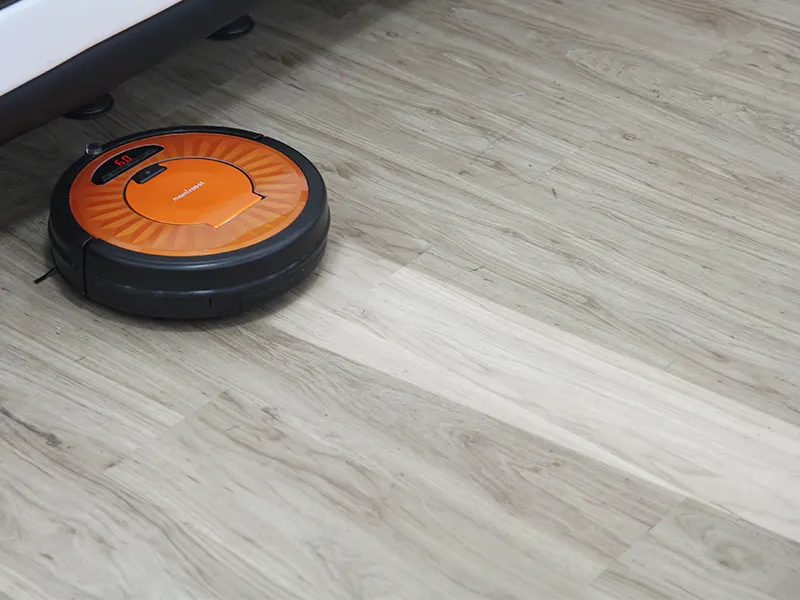
Photo: Mamirobothk, CC BY-SA 3.0, via Wikimedia Commons
Somewhere around month three of this experiment, my Pi-hole dashboard told me my robot vacuum had attempted to contact a server in Shenzhen 4,112 times in a single day. The vacuum. The thing whose entire job is driving in circles eating Cheerios off my kitchen floor.
That was the moment I stopped thinking of my smart home as "convenient" and started thinking of it as a small, chatty foreign office I never agreed to staff.
The Setup: You Don't Need to Be a Sysadmin
Here's the good news: auditing your own network is genuinely easier than it was five years ago, and it costs roughly nothing. My whole lab was a Raspberry Pi 4 ($60, or less used), a free copy of Pi-hole, and Wireshark — the packet-sniffing tool that's been quietly doing network forensics since before TikTok existed.
Pi-hole acts as your network's DNS gatekeeper. Every time a device wants to resolve a domain name, Pi-hole logs it. You get a beautiful, horrifying leaderboard of who's asking to go where. Wireshark, meanwhile, lets you go deeper — actually seeing the traffic — but honestly, for 90% of home users, the DNS logs alone tell the whole story.
The cast of characters on my network: the aforementioned vacuum, a Wemo smart plug, a Ring doorbell, a Chromecast, and one smart TV that I already distrusted going in.
The Vacuum Is the Problem Child
Let's just get to the headline act. Over twelve months, the vacuum contacted:
- Two analytics domains tied to its manufacturer's app
- A cloud service in mainland China (the Shenzhen endpoint)
- An ad-tech CDN that I still cannot adequately explain
- An NTP time server, which, fine, clocks gotta clock
Total blocked requests once I clamped down: north of 400,000 for the year. The vacuum worked fine with all of it blocked. Vacuumed the same. Got stuck on the same rug. All that data collection, and the robot's navigation skills remained exactly as mediocre as before.
The Ring doorbell was locked to Amazon's ecosystem, which is its own conversation — but at least the traffic was predictable and, from a functionality standpoint, necessary. The smart plug phoned home to check for firmware updates roughly once a week, which is the correct amount of communication for a device whose job is being an on/off switch.
The smart TV, as expected, was the worst overall offender by volume — but everyone already knows smart TVs are ad-delivery platforms with a screen attached, so I'll spare you the victory lap.
What the Logs Actually Taught Me
Three lessons worth stealing:
One: DNS blocking solves most of it. Blocking the vacuum's telemetry domains broke nothing. This is the core trick — most IoT devices have a cloud brain and a local brain, and the local brain does the actual work. Cut the cloud brain off and the device keeps functioning; you just lose remote controls from work and "usage insights," which is corporate for "advertising data."
Two: Put IoT on its own network. Every decent router made in the last decade has a guest network feature. Put every smart device on the guest SSID and keep your laptops and phones on the main one. If a camera or plug ever gets compromised, the attacker is stuck in the kiddie pool. This takes ten minutes and is the single highest-value thing you can do.
Three: Buy devices with local control when you can. The smart plug (local API, minimal chatter) and the vacuum (cloud-dependent, chatty) came from the same era of tech. The difference in behavior is entirely a design choice by the manufacturer. Check communities like Home Assistant's compatibility list before buying — "works locally" is the phrase to search for.
The Beginner's Lockdown, In Order
If you want to do this yourself, in rough order of effort-to-payoff:
- Guest network for IoT (10 minutes, free, huge win)
- Pi-hole on a Pi or old PC (an afternoon, free, visibility forever)
- Disable UPnP on your router — it's how devices punch holes through your firewall without asking
- Turn off Universal Plug and Play's cousin, too: remote access features you don't use, in each device's app
- Wireshark deep-dives — only if you're curious; it's the fun part but not the necessary part
You do not need a Faraday cage. You do not need to rip out the doorbell. You need a guest network and a DNS blocklist, and you'll have quietly neutralized most of the surveillance-by-default that ships with a $40 gadget.
So Was It Worth It?
Honestly? The audit was less about fear and more about the sheer comedy of it. There is something deeply funny about reading a log file and learning your vacuum attempted a handshake with a server 7,000 miles away at 3:47 AM on a Tuesday.
The vacuum still cleans the floor. The doorbell still rings. But now when a device misbehaves, I can see it, name it, and block it — and that's a power the default setup never gave me. Your smart home doesn't need to be smart about you. It just needs to be smart about crumbs.